| Suitable Use Cases | Best for open-ended, exploratory tasks where flexibility outweighs structure and accuracy. | Ideal for structured tasks with clear goals, balancing conversational fluency and reliability. | Best for scenarios where you are not able to use an LLM, delivers deterministic outcomes. |
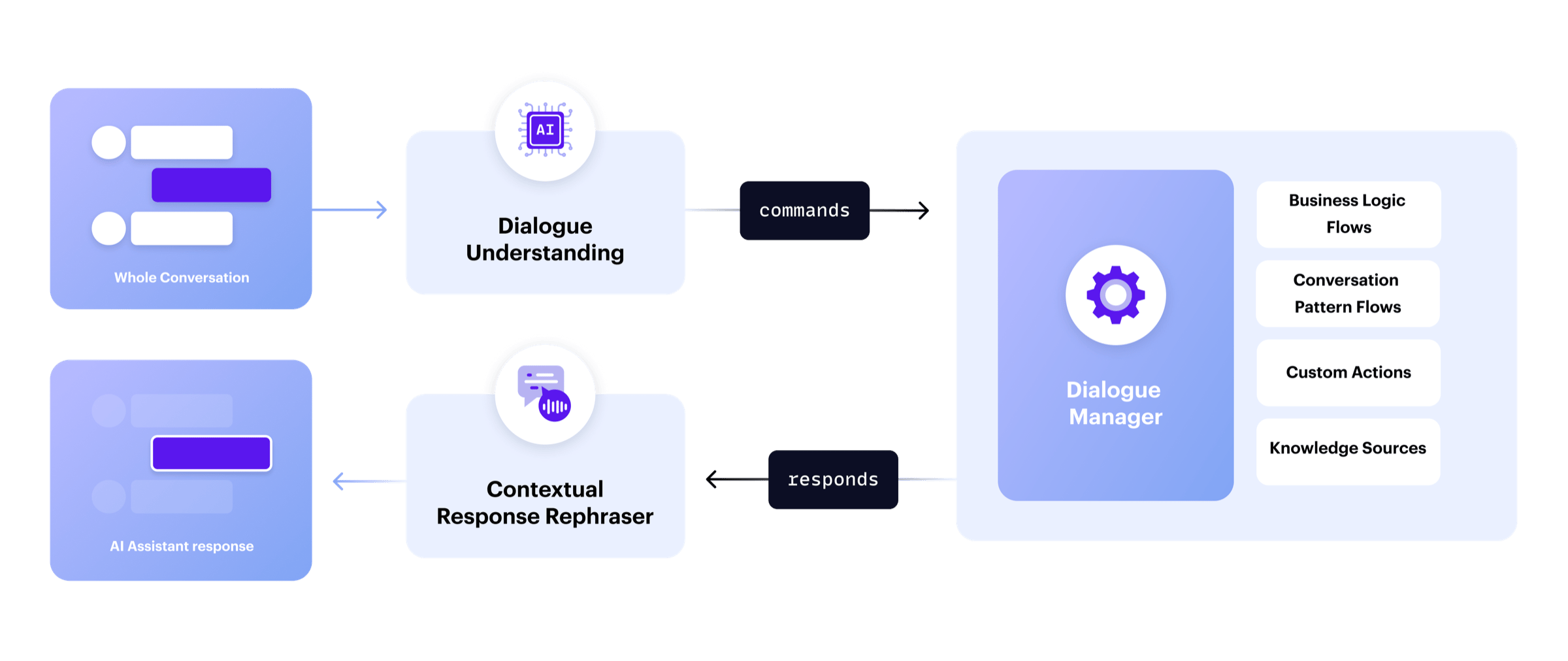
| Understanding the User | ReAct combines understanding and action into the same process. In each exchange, an LLM is used to process user input and decide what should happen next. | CALM uses LLM to understand user input in the context of the conversation. This is separate from task execution, which is handled by Flows. | NLU bots understand users by classifying the last user input, without the context of the full conversation. The model cannot understand messages that don’t fit into an intent. |
| Deciding the Next Step(s) | Business logic embedded in LLM prompts leads to inconsistent, on-the-fly decisions. | Business logic, step-by-step outlines of how to solve a problem, is defined in Flows. The LLM can dynamically route from flow to flow. | Business logic is predefined in large dialogue trees, breaking if users deviate from the expected path. |
| Scaling to a large number of tasks | Performance degrades as more agents/tasks are added, increasing resource use and introducing cascading errors that require complex guardrails. | Scales reliably to many topics and Flows. Reusable, modular Flows help maintain performance. | As NLU models scale, accuracy suffers due to topic overlap, and expanding dialogue trees becomes difficult to maintain. |
| Ease of Troubleshooting | Debugging is tough because you have to read through lots of unstructured text to guess why things went wrong, and fixing it means trying random changes until something works. | Simplifies debugging by separating reasoning from task execution. LLMs output discrete commands, allowing you to pinpoint why the system behaved a certain way. | NLU debugging and root cause analysis are straightforward since every part of the dialogue is pre-planned. However, it is often tough to implement a user-friendly fix due to rigidity. |
| Cost in Production | High costs and latency due to calling LLMs multiple times in series. | More cost-efficient, using smaller, fine-tuned models like Llama 8B to reduce latency and costs. | NLU models are very inexpensive and have low latency. |