> ## Documentation Index
> Fetch the complete documentation index at: https://rasa.com/docs/llms.txt
> Use this file to discover all available pages before exploring further.
# How to Trigger Flows
> Rasa Studio Flow Builder Start
This guide will teach you the different approaches to triggering flows in Rasa to create flexible and responsive conversations.
## Starting a Conversation
In the "Start" step, you can configure how your flow will be triggered. There are four primary methods for starting the flow:
* Automatically by LLM based on flow description
* Using predicted user intents
* Based on a certain condition
* With links or calls from other flows
## Flow description
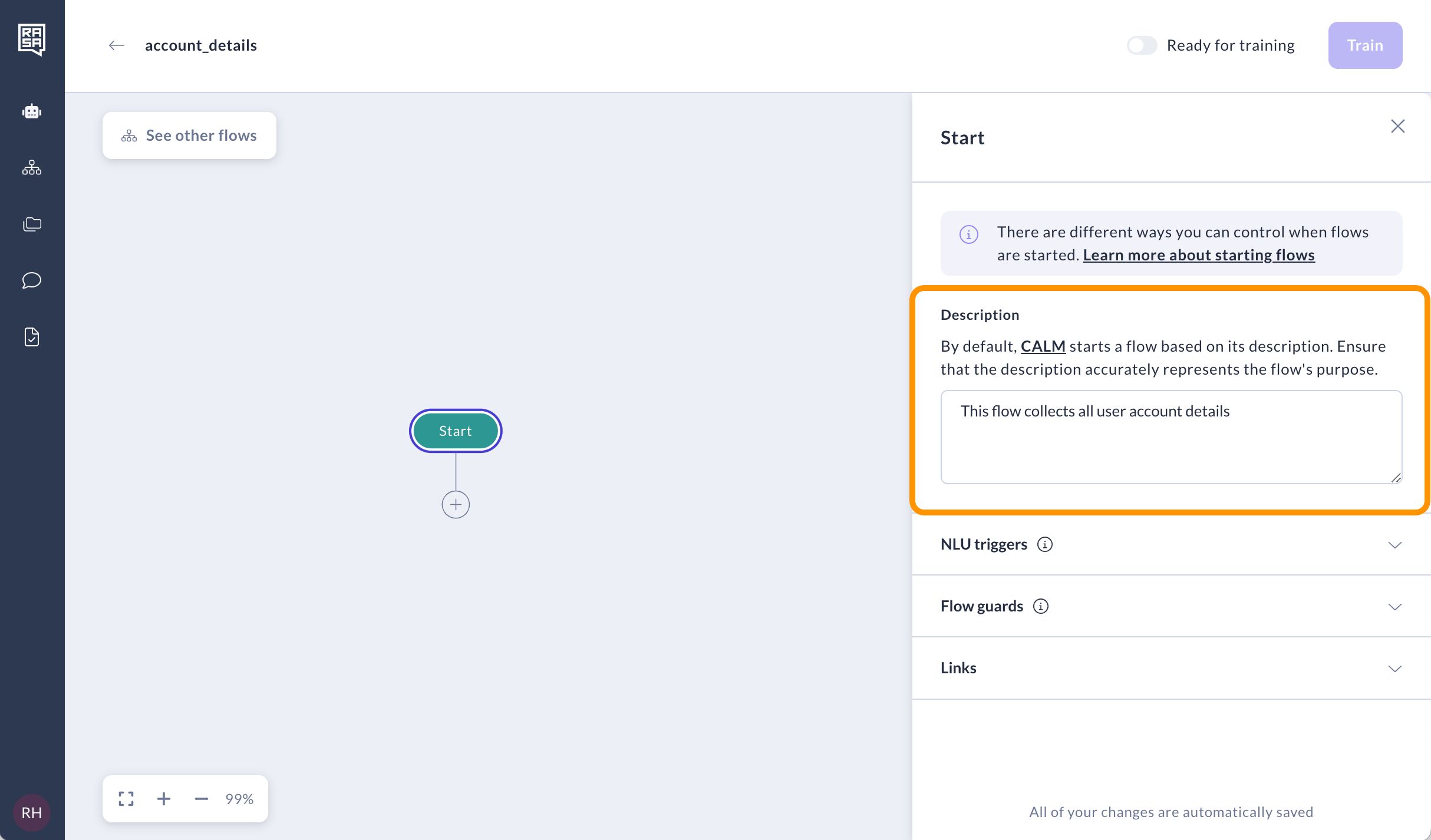
The flow description serves as the default trigger mechanism. The system utilizes the flow description, ongoing conversation, and contextual cues to determine when to start a flow automatically by LLM. For this routing to work properly, it's crucial to write clear and distinct descriptions. Read more about [tips for writing good flow descriptions here](/docs/reference/config/components/llm-command-generators#best-practices-for-descriptions).
 ## NLU triggers
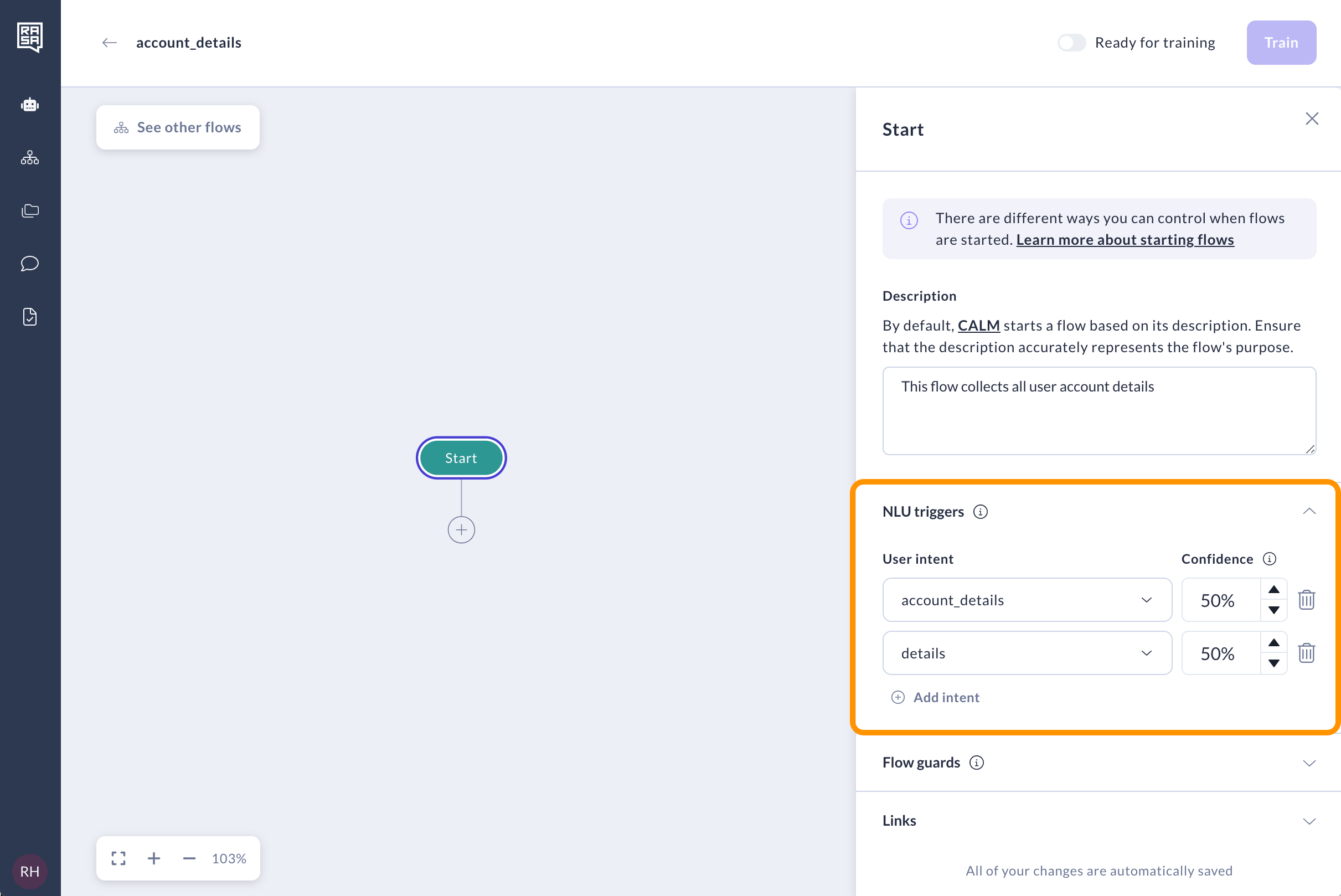
NLU triggers allow you to use predicted user intents to start a flow. You can start the flow based on multiple user intents and configure a confidence threshold for each one. We recommend using a confidence threshold calculated by dividing 1 by the total number of intents in the model. However, it's essential to experiment with different confidence thresholds to find the optimal setting for your scenario.
## NLU triggers
NLU triggers allow you to use predicted user intents to start a flow. You can start the flow based on multiple user intents and configure a confidence threshold for each one. We recommend using a confidence threshold calculated by dividing 1 by the total number of intents in the model. However, it's essential to experiment with different confidence thresholds to find the optimal setting for your scenario.
 ## Links / Calls
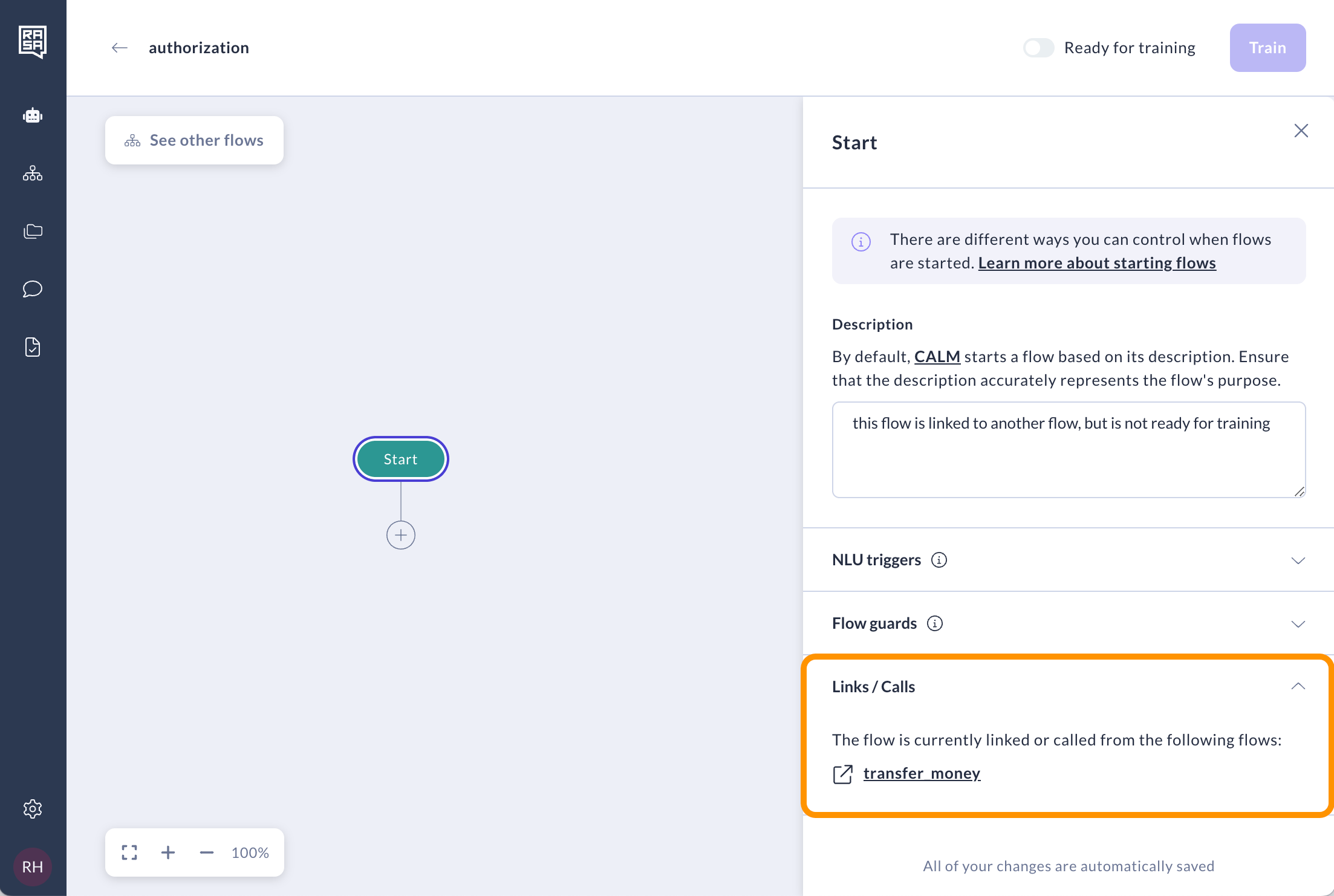
This section displays all the flows where your current flow is [linked](/docs/studio/build/flow-building/linking-flows#link-steps) or [called](/docs/studio/build/flow-building/linking-flows#call-steps) from, so you can see the specific cases in which it will be started. You can go to each of these parent flows to remove those links if needed.
## Links / Calls
This section displays all the flows where your current flow is [linked](/docs/studio/build/flow-building/linking-flows#link-steps) or [called](/docs/studio/build/flow-building/linking-flows#call-steps) from, so you can see the specific cases in which it will be started. You can go to each of these parent flows to remove those links if needed.
 ## Flow guards
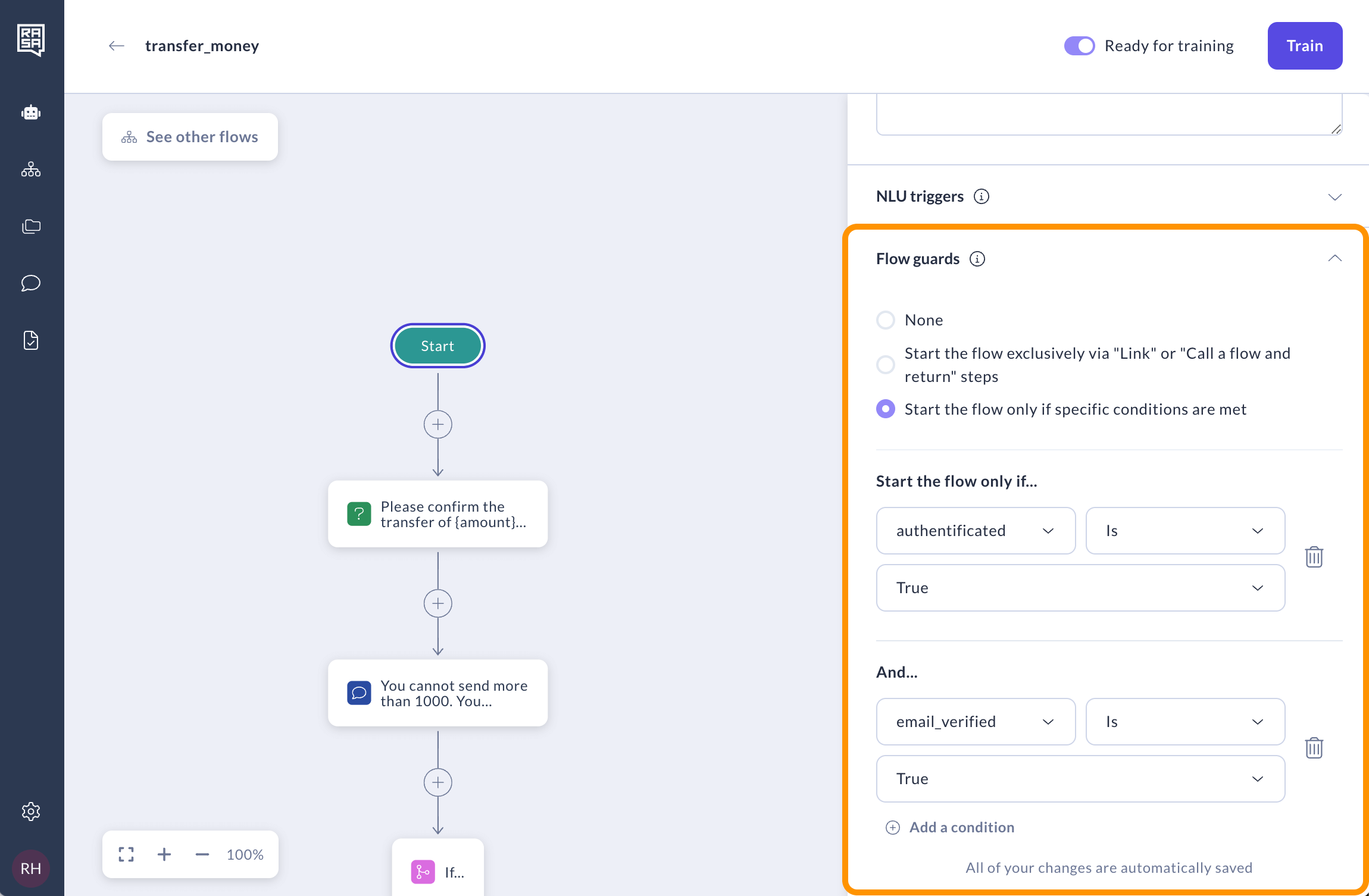
Flow guards allow you to set certain conditions for starting a flow. By default, there are no flow guards, but you can set either of the following two types:
* When the "Start the flow exclusively via 'Link' or 'Call a flow and return'" setting is enabled, the flow can only be started through linking or calling from other flows.
## Flow guards
Flow guards allow you to set certain conditions for starting a flow. By default, there are no flow guards, but you can set either of the following two types:
* When the "Start the flow exclusively via 'Link' or 'Call a flow and return'" setting is enabled, the flow can only be started through linking or calling from other flows.
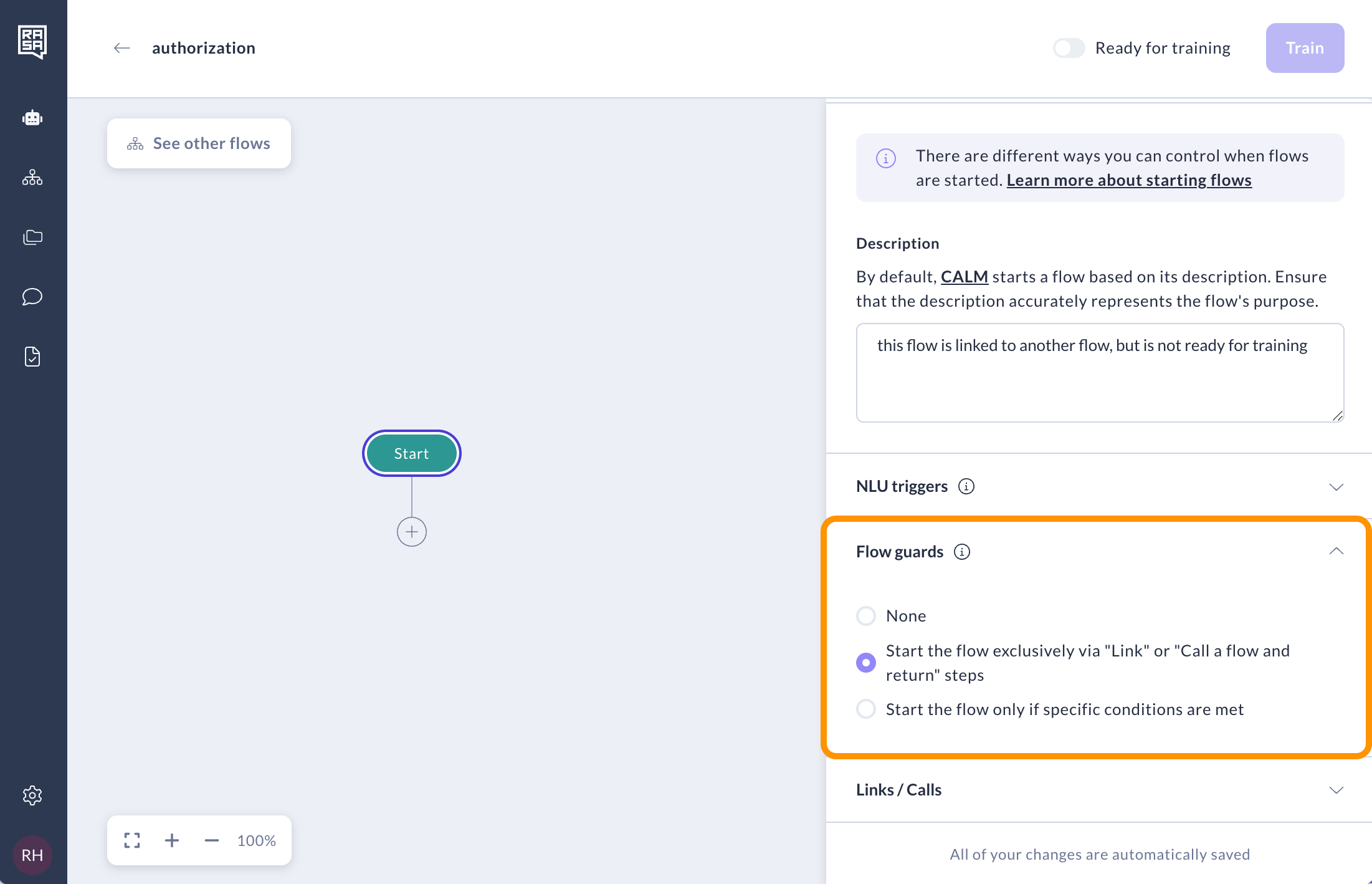 * The "Start the flow only if specific conditions are met" allows you to set specific conditions under which a flow can be started. For example, the flow will only be initiated if the user is authenticated and their email is verified.
 If the flow has active Links/Calls and NLU triggers, the flow guard can only be triggered after these have been executed. The order of execution for flow triggers and guards is as follows:
1. Direct links/calls to the flow are executed first.
2. NLU triggers go next: Specific intent trigger messages, such as `/initialize_conversation`, will "force start" a flow for a targeted intent right after links.
3. Flow guards follow.
4. Flow description is referenced last in the execution order.
## Related topics
- [How to Edit System Flows](/docs/studio/build/flow-building/system-flows.md)
- [Writing Flows](/docs/pro/build/writing-flows.md)
- [Session Lifecycle](/docs/reference/config/session-management/session-lifecycle.md)
- [How to Create a Flow](/docs/studio/build/flow-building/create-flows.md)
- [How to Manage Flows](/docs/studio/build/content-management/manage-flows.md)
If the flow has active Links/Calls and NLU triggers, the flow guard can only be triggered after these have been executed. The order of execution for flow triggers and guards is as follows:
1. Direct links/calls to the flow are executed first.
2. NLU triggers go next: Specific intent trigger messages, such as `/initialize_conversation`, will "force start" a flow for a targeted intent right after links.
3. Flow guards follow.
4. Flow description is referenced last in the execution order.
## Related topics
- [How to Edit System Flows](/docs/studio/build/flow-building/system-flows.md)
- [Writing Flows](/docs/pro/build/writing-flows.md)
- [Session Lifecycle](/docs/reference/config/session-management/session-lifecycle.md)
- [How to Create a Flow](/docs/studio/build/flow-building/create-flows.md)
- [How to Manage Flows](/docs/studio/build/content-management/manage-flows.md)