> ## Documentation Index
> Fetch the complete documentation index at: https://rasa.com/docs/llms.txt
> Use this file to discover all available pages before exploring further.
# How to Create a Custom Action
> Learn how to enable your assistant to perform actions in Rasa Studio
This guide will show you how to use **Custom Actions** in Rasa Studio to integrate data from sources like databases or APIs.
Custom actions allow your assistant to fetch information, update records, and connect with external tools, improving the quality and relevance of conversations.
### What are Custom Actions?
Custom Actions allow your assistant to execute any code you define as part of a flow. This could include tasks like retrieving account details, booking a meeting, or retrieving data from external systems.
## How to create Custom action
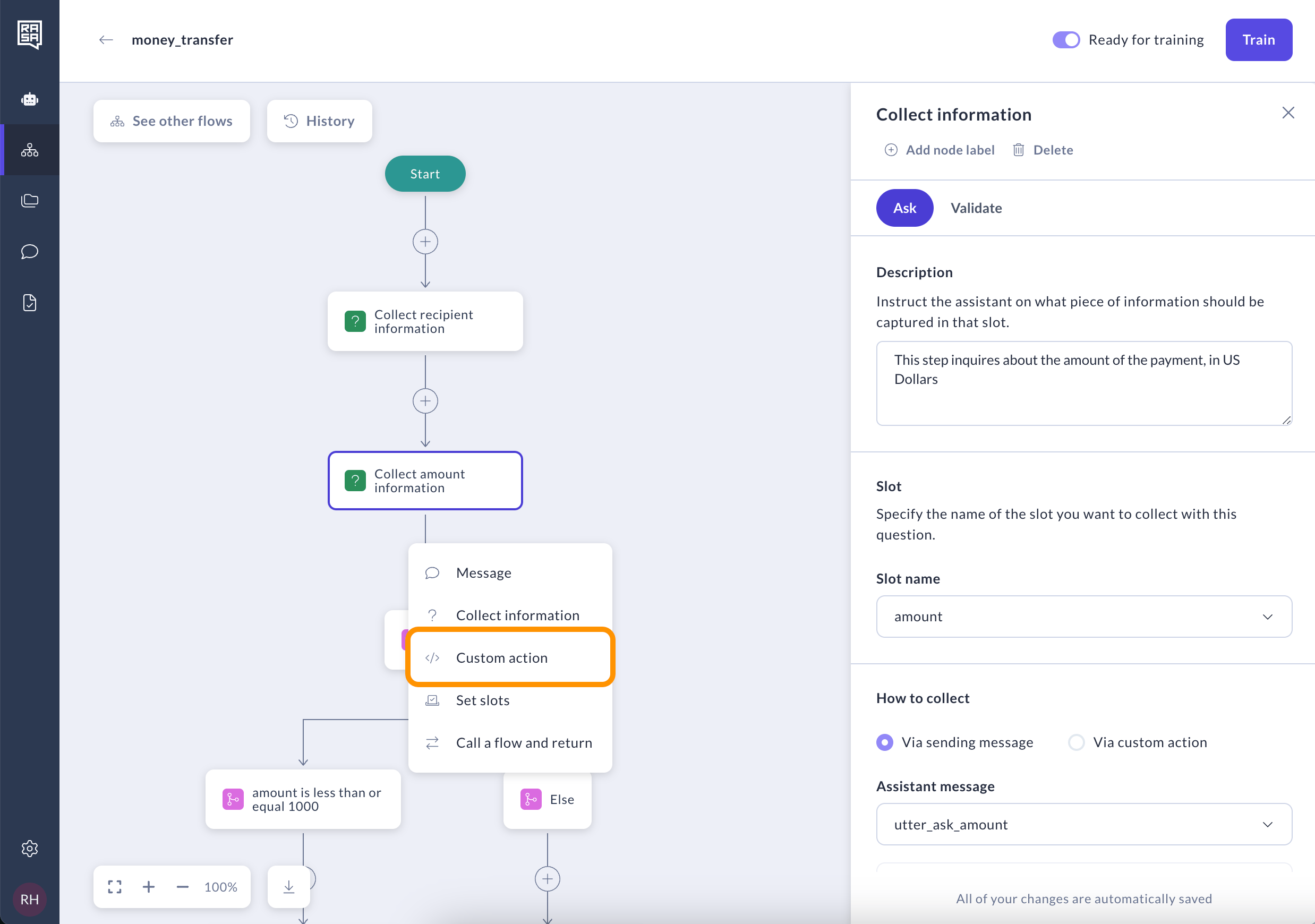
1. Select the "Custom Action" step from the menu.
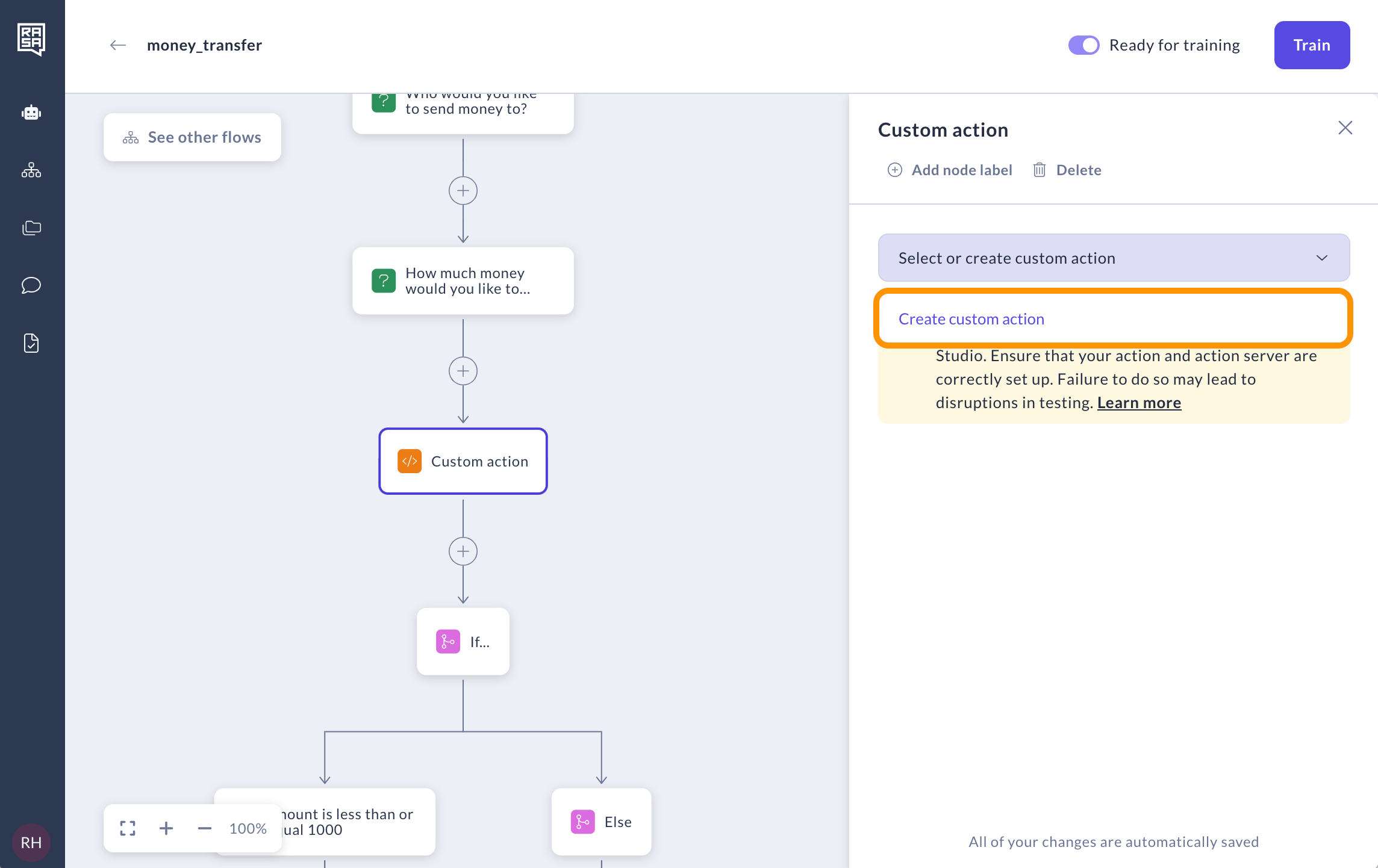
 2. Select an existing custom action or click on "Create custom action" to create a new one.
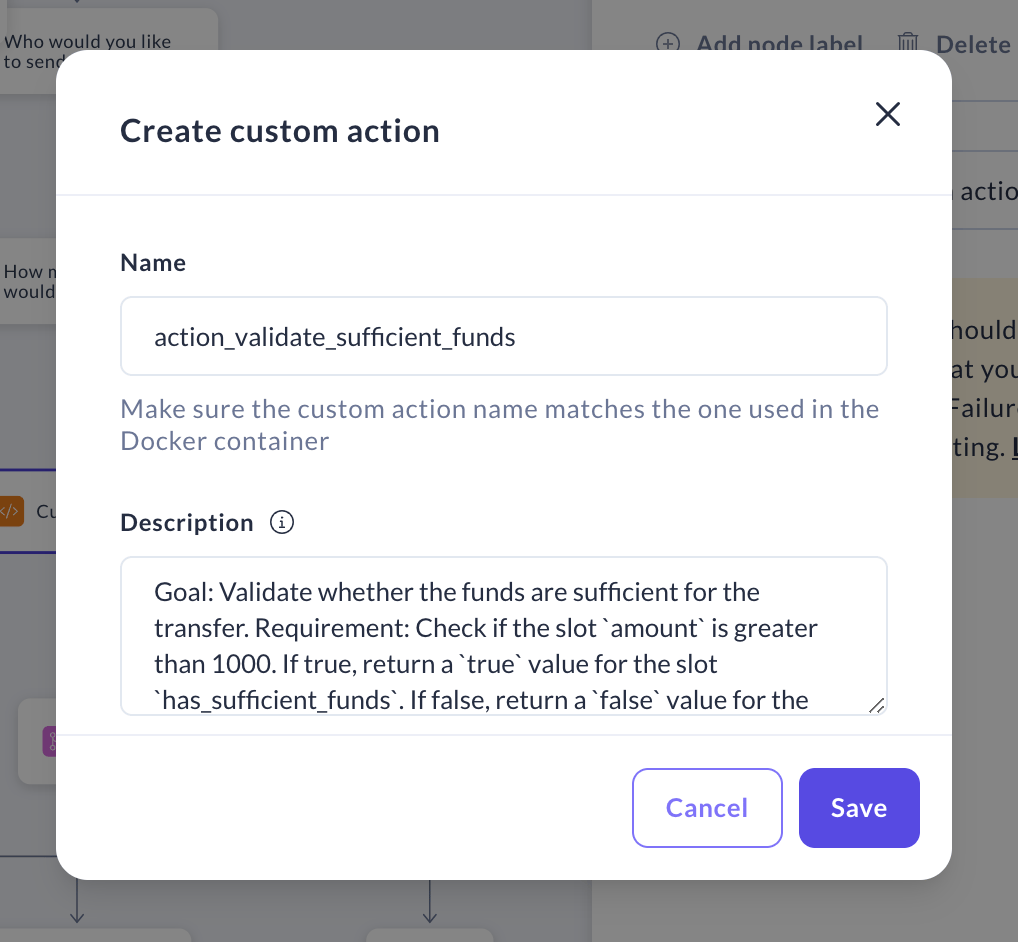
 3. In the window that appears, enter the name of the custom action, ensuring it exactly matches the one implemented in your Docker container. In the "Description field "provide a detailed description of what the action does in free form.
Note: This description will be read by whoever implements this action so it should describe what this action should achieve, what slot(s) it should use and what slot value to return in which case.
3. In the window that appears, enter the name of the custom action, ensuring it exactly matches the one implemented in your Docker container. In the "Description field "provide a detailed description of what the action does in free form.
Note: This description will be read by whoever implements this action so it should describe what this action should achieve, what slot(s) it should use and what slot value to return in which case.
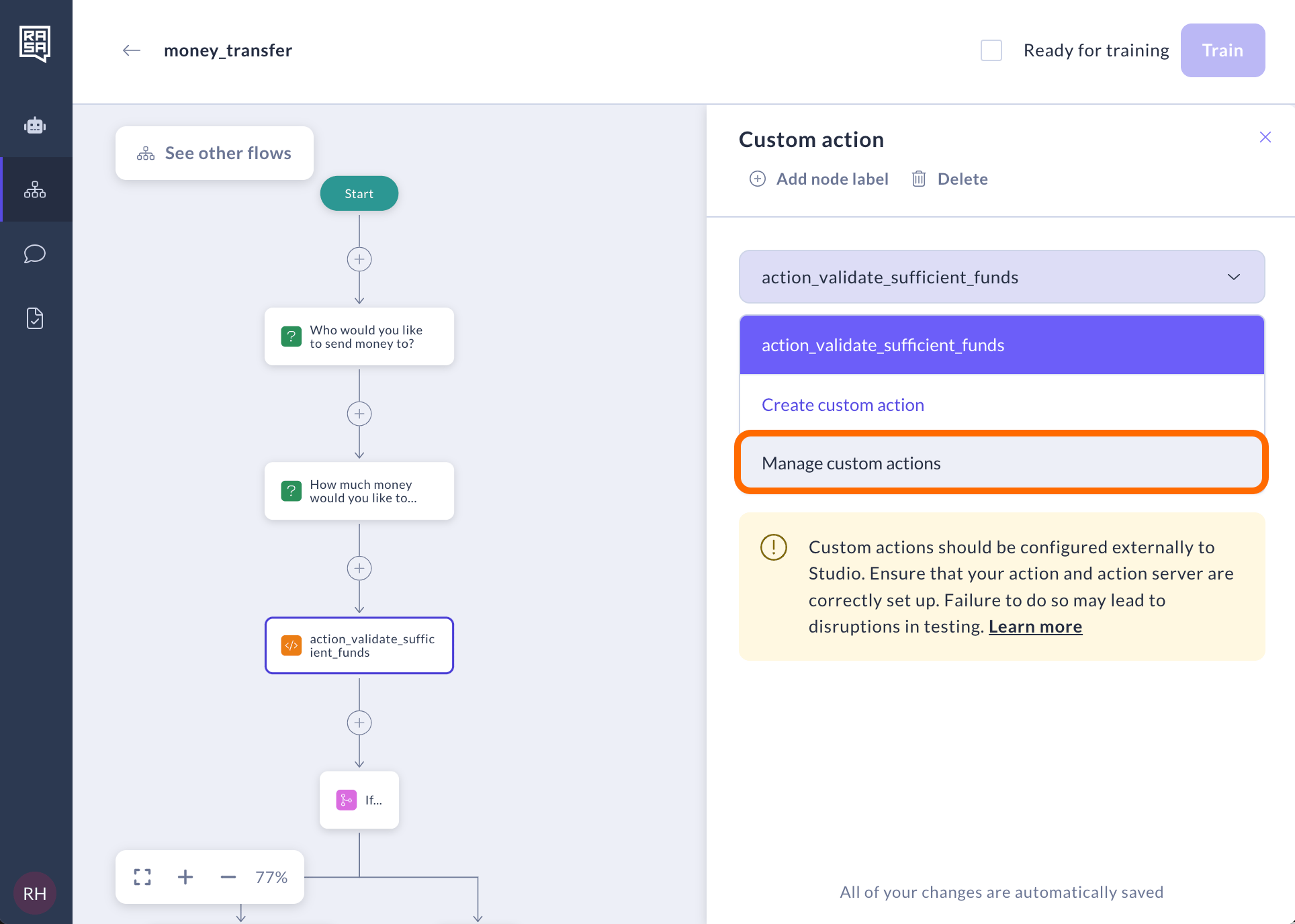
 4. You can edit the name or description of a custom action, or delete it, by selecting "Manage custom actions" from the drop-down menu. Note that when you use a custom action in many places, when you edit or delete this action, it will also affect other flows and steps as well.
 ## Related topics
- [Introduction to Actions](/docs/studio/build/actions/introduction.md)
- [Writing Custom Actions](/docs/pro/build/custom-actions.md)
- [How to Collect Information](/docs/studio/build/flow-building/collect.md)
- [How to Make Decisions](/docs/studio/build/flow-building/logic.md)
- [Deploy Action Server](/docs/reference/integrations/action-server/deploy-action-server.md)
## Related topics
- [Introduction to Actions](/docs/studio/build/actions/introduction.md)
- [Writing Custom Actions](/docs/pro/build/custom-actions.md)
- [How to Collect Information](/docs/studio/build/flow-building/collect.md)
- [How to Make Decisions](/docs/studio/build/flow-building/logic.md)
- [Deploy Action Server](/docs/reference/integrations/action-server/deploy-action-server.md)